


-
 Live Flight Status
 -
Uses #1 rated flight status service
-
Live flight tracking with Apple Maps
-
Enter flights months in advance with just flight number
-
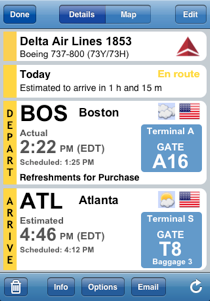
Displays gate information for each flight
-
Displays baggage information for most flights
-
Track incoming flights bound for your departure gate
-
Search for alternatives if you miss a flight
-
Organize flights into trips
-
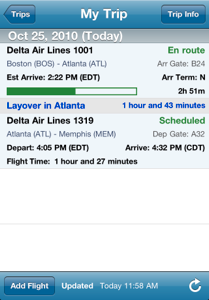
Displays concise layover information
-
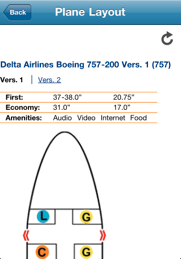
Displays seating charts for most flights
-
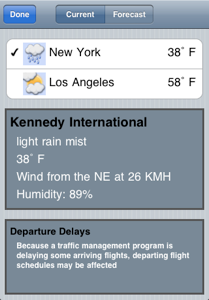
Current airport weather, forecasts and FAA delays
-
Download and Upload flights from TripIt.com
-
Push Notifications of flight alerts (even gate changes)
Flight Update Pro



Flight Update Pro
Flight Update Pro is the most powerful flight status application available.
Flight Update combines the power of the best flight status service with the power of the best flight schedule service. This provides you the most up to date information for your flight and allows you to search schedules for flights.
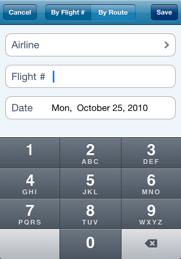
It is as easy as selecting an airline, entering a flight number and then choosing the date of travel. Flight Update will then complete all of the remaining flight details.

-
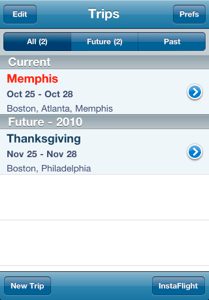
★Flight Update organizes your flights as you would expect, within “trips.”
-
★Each trip listed shows the cities that are being traveled to.
-
★Adding a flight could not be easier.
-
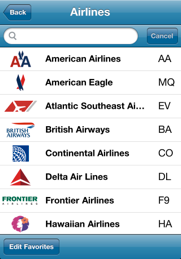
★Flight Update Pro allows you to customize your list of favorite airlines
-
★You always have access to over 1400 worldwide airlines supported by Flight Update Pro.
-
★The Flight Details screen shows all of the critical information for a flight at a glance.
-
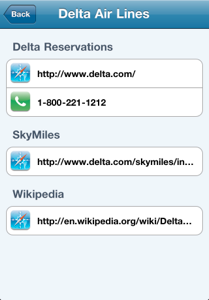
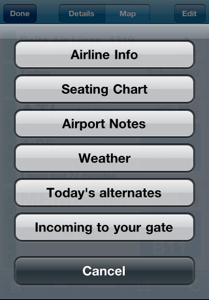
★Several of the items can be tapped to display various other information such as detailed weather, airport notes, airline contact information and aircraft seating charts.
-
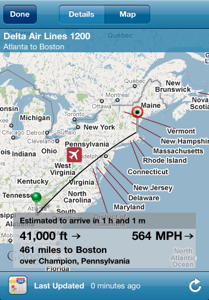
★Switching to the map view shows the flight path along with the flight’s current location.
-
★Tapping on the arrival or destination pin will allow you to view that airport’s own website.
-
★For each flight, more detailed flight information can be displayed
-
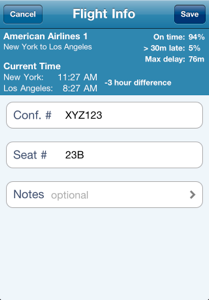
★On time performance is displayed providing you an idea of the future performance of your flight.
-
★Current time of each city is displayed.
-
★Time difference between the departure and arrival cities is shown.
-
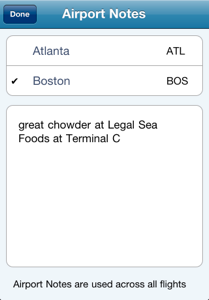
★Flight Update Pro will allow you to save notes specific to an airport.
-
★These notes are available to you anytime in the future so that the next time you visit, you can browse them.
-
★In addition to the main details screen, there are several available features just a tap away.
-
★You can quickly search today’s alternatives if you have found your original flight has been cancelled.
-
★Sitting at your departure gate wondering when your plane will arrive. It is easy with Flight Update Pro. Just track the incoming flight and see when it will be arriving.
-
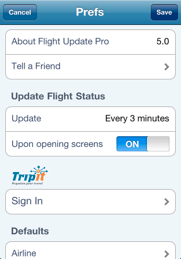
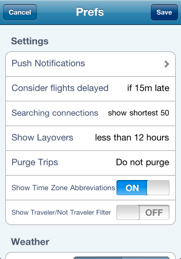
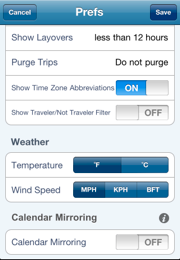
★No other flight status application allows the level of customization as does Flight Update Pro.
-
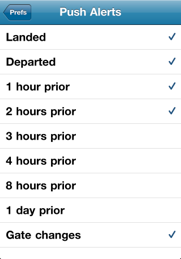
★Even those Push Notifications you wish to receive can be specified (with optional Flight Alerts & Flight Reminders subscription)
-
★Weather for cities in your travels are easily displayed.
-
★Along with weather, FAA departure and arrival delays are available for the airports you are traveling from and to (US airports only).

-
★Weather forecasts for the cities you are traveling to are always at your fingertips.
No manual entry necessary!
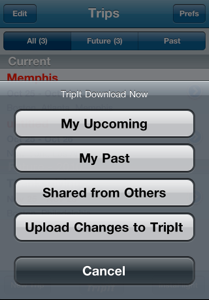
Download all of your trips’ itineraries from TripIt.com
Download your upcoming, past or even trips shared from others all into Flight Update Pro.
Not familiar with TripIt? TripIt is an online service that helps people organize all their travel plans—flights, hotels, rental cars, trains,cruises—no matter where they booked. To get started,travelers just forward their travel confirmation emails to plans@tripit.com. TripIt processes these emails and automatically creates a master itinerary with travel plans,daily weather, local maps, restaurant reservations, city guides and more. With TripIt, travelers can print, access and share their travel plans online, from a mobile device or even in their personal calendar.
IMPORTANT: Flight Update Pro will only download the flights found in your trips. To track your complete itinerary, please look at our TravelTracker Pro app.
-
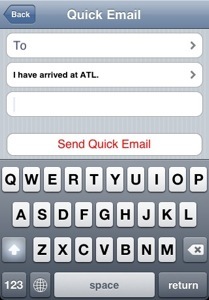
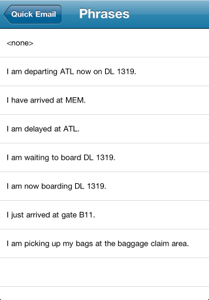
★You can send a quick email or SMS message
-
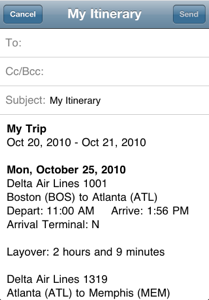
★Email your complete trip’s itinerary to a friend or family member.
-
★Email an individual flight’s status






Flight Update Pro Feature List

Copyright 1993-2026. Silverware Software
